Windows app
0.1.281 · Community Beta

128.2 MB
0.1.281 · Community Beta
128.2 MB
Chrome Web Store 0.1.28

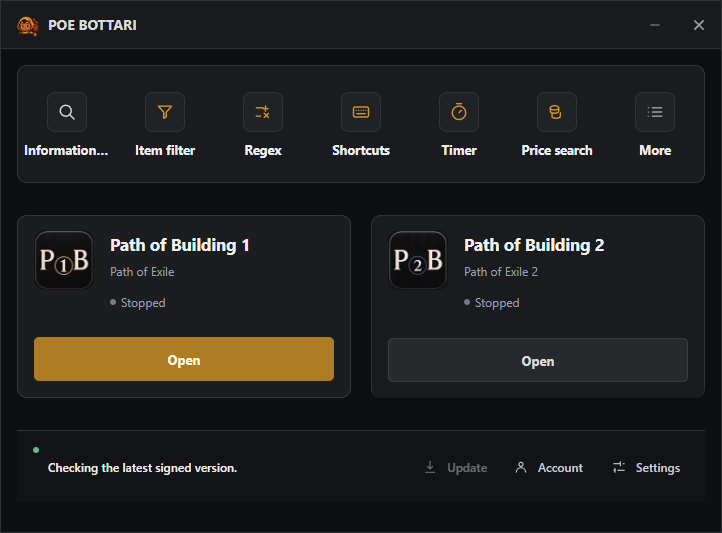
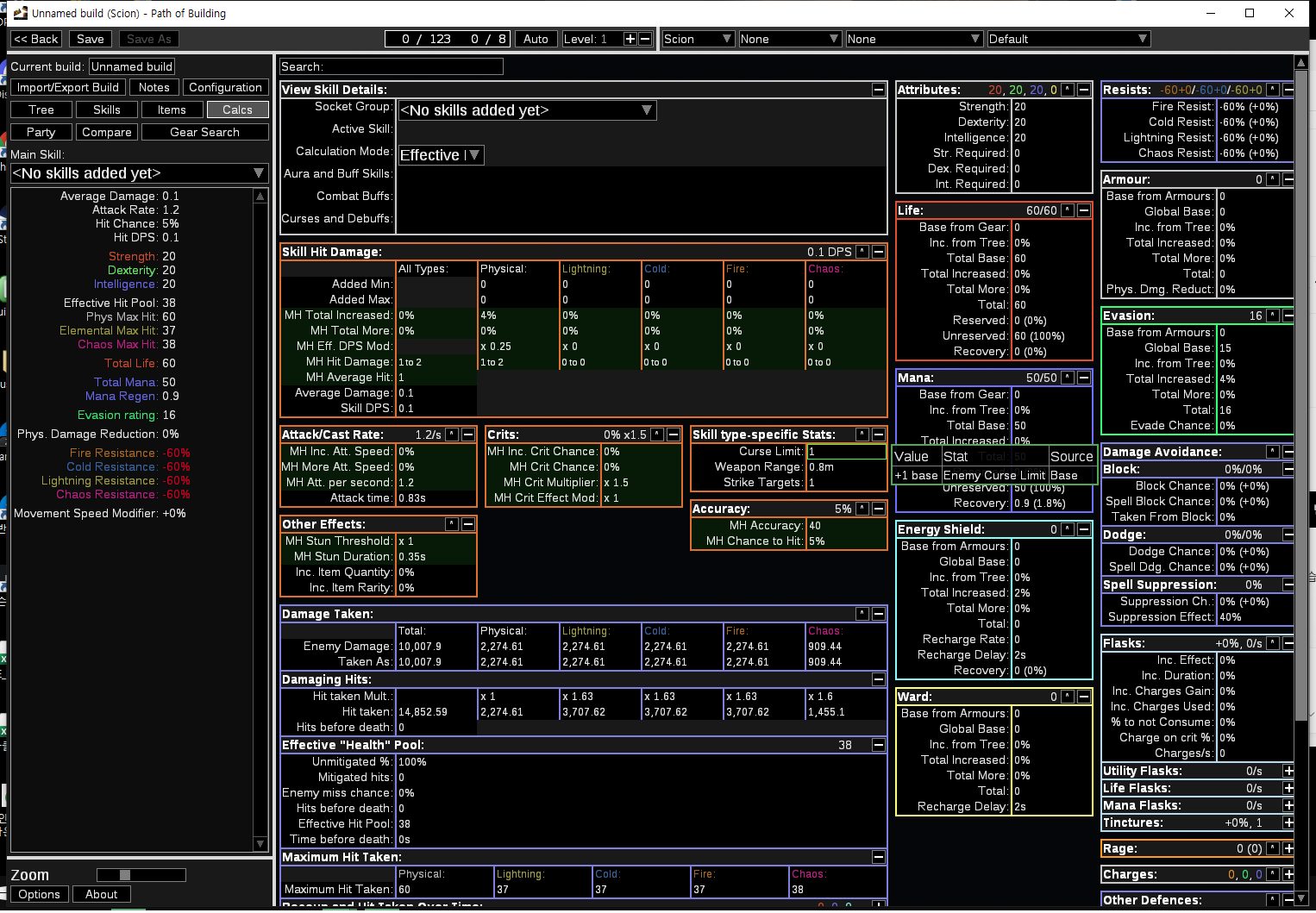
The desktop app brings together Path of Building, price search, information lookup, and convenience tools while preserving clear boundaries around game accounts and local data.
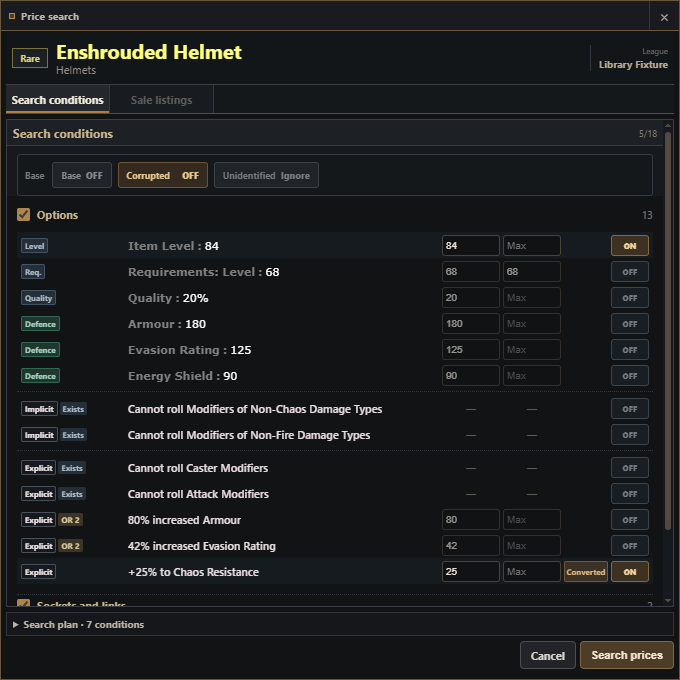
The selected item, options, values, and enabled states are organised in the Price search window. Empty results, boss rewards, and sale listings each show a distinct state. Numbers inside these screenshots are not market-price promises.
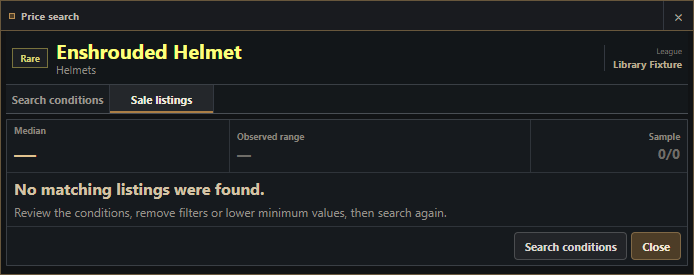
The window clearly explains when no sale listing matches the selected conditions.
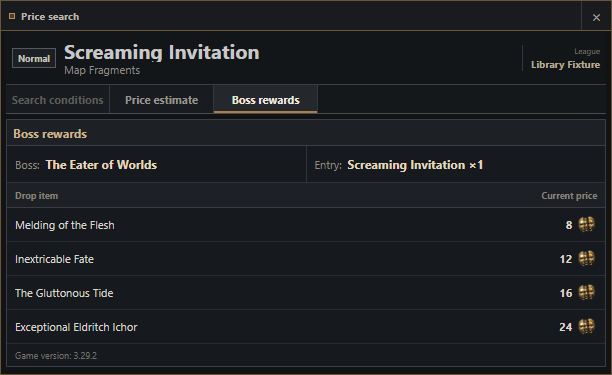
The active Boss rewards tab renders reward rows and their price-display area together.
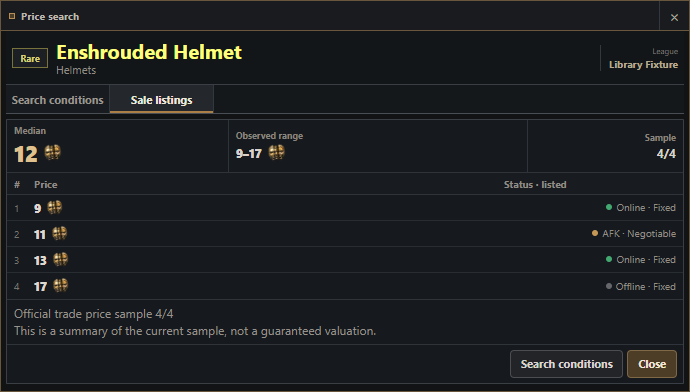
An anonymised sale-listing table and result summary render for the selected conditions.
Each image is captured from the English runtime used by this page.
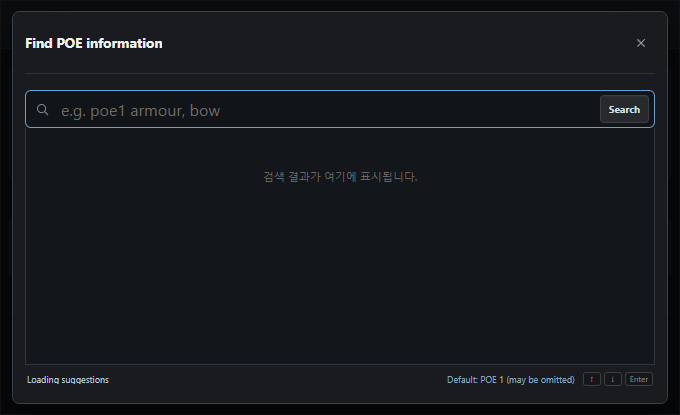
When you are in the middle of a run, you do not need to remember a website name. Press F7 and enter a plain phrase such as scarab prices, boss rewards, poe2 crafting, or attribute gloves.
An omitted game name means POE1. Add poe2 when you want POE2 results. Selecting a result either opens a BOTTARI window or sends a reviewed destination to your default browser.
The sections below show the Information Search window features and result windows. Individual item, gem, and modifier results are added according to what you type.
scarabscarab prices or prices scarab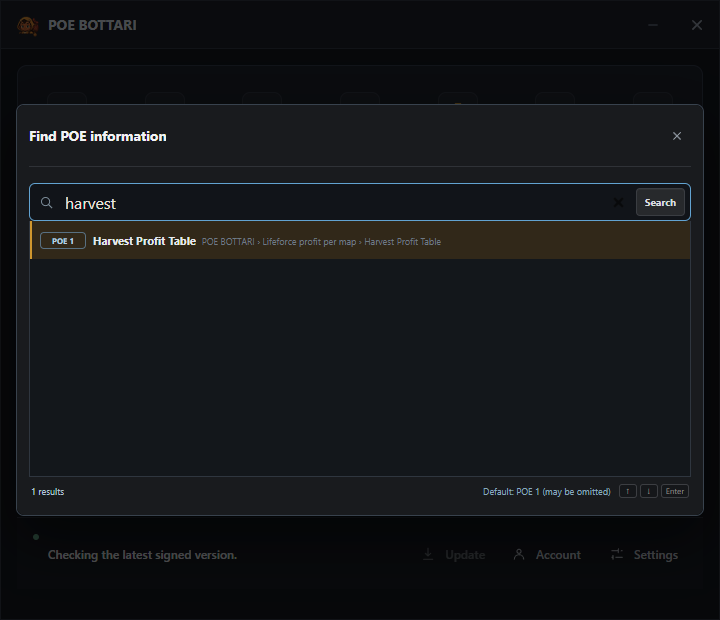
Price search is organised around the stash category, rather than a single item. Prices move, so these captures show the result type and layout rather than a price promise.
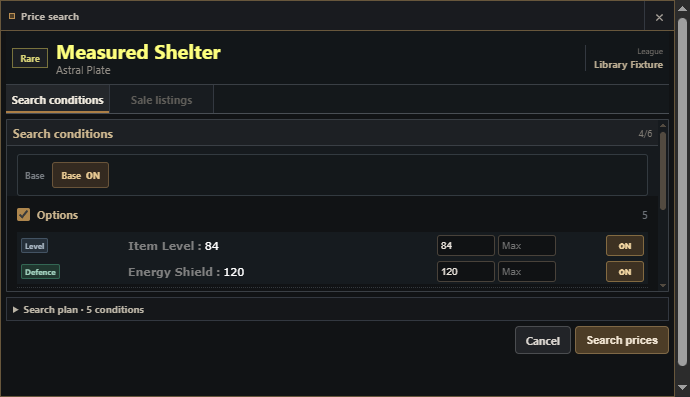
scarab prices selects a price window, not the recommendation board.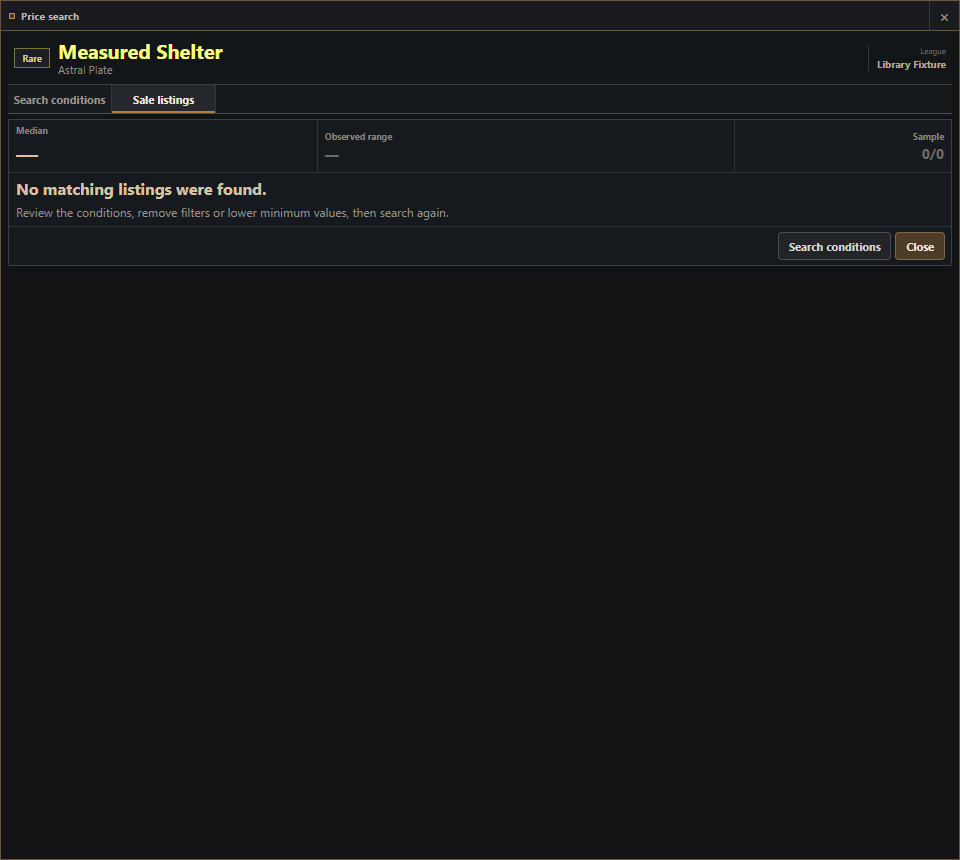
Information Search input: profit calculator
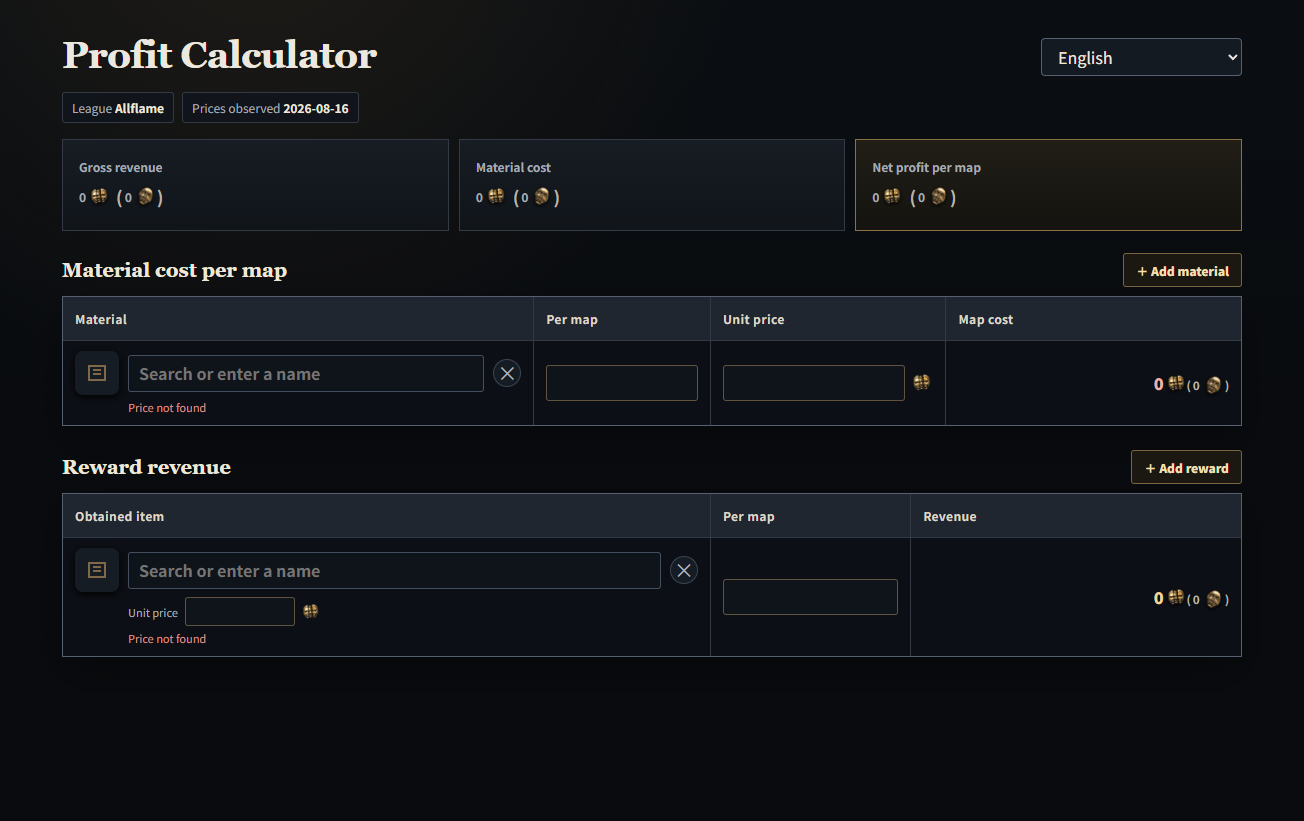
Purpose: Enter map supplies and rewards to calculate cost, revenue, and net profit per map.
Information Search input: scarab, atlas scarab
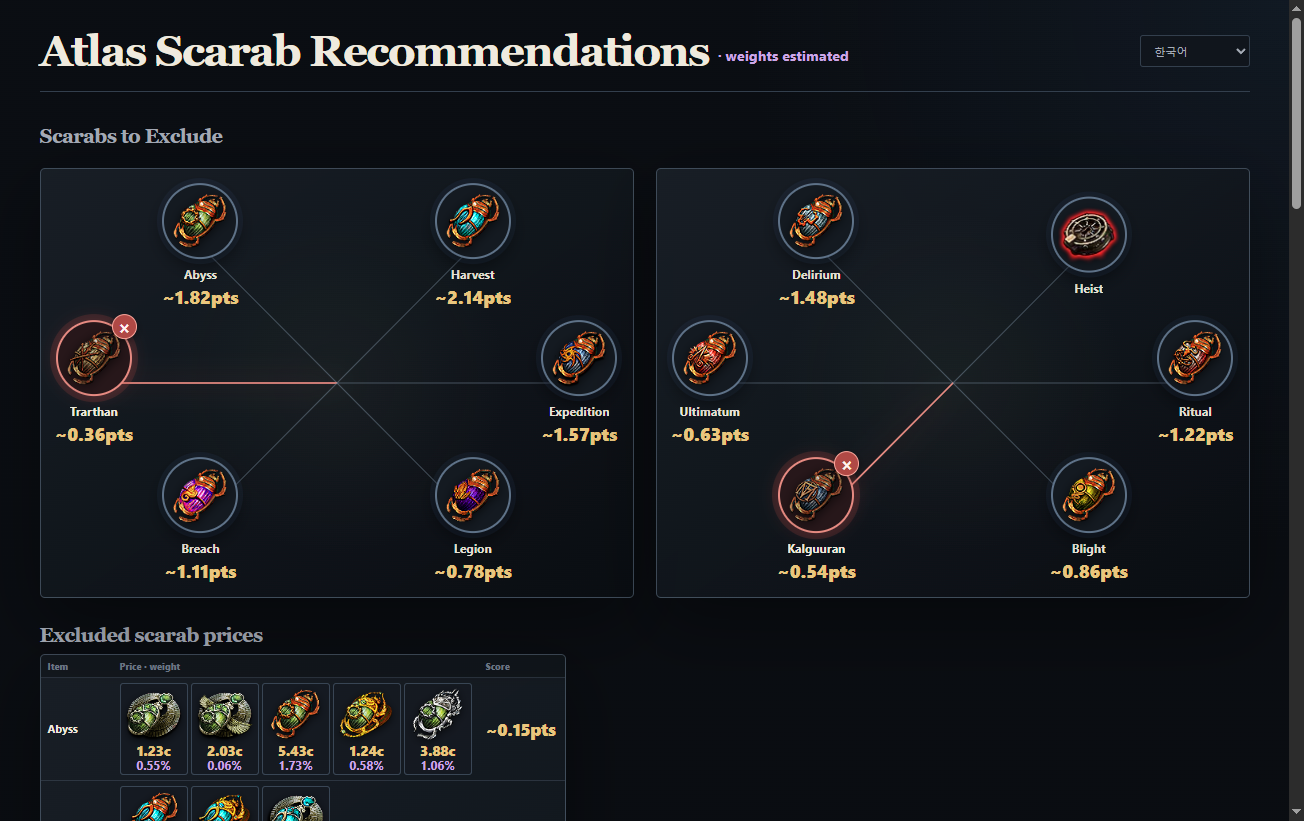
Purpose: Compare excluded scarabs and the related prices while planning an Atlas setup.
Information Search input: harvest profit
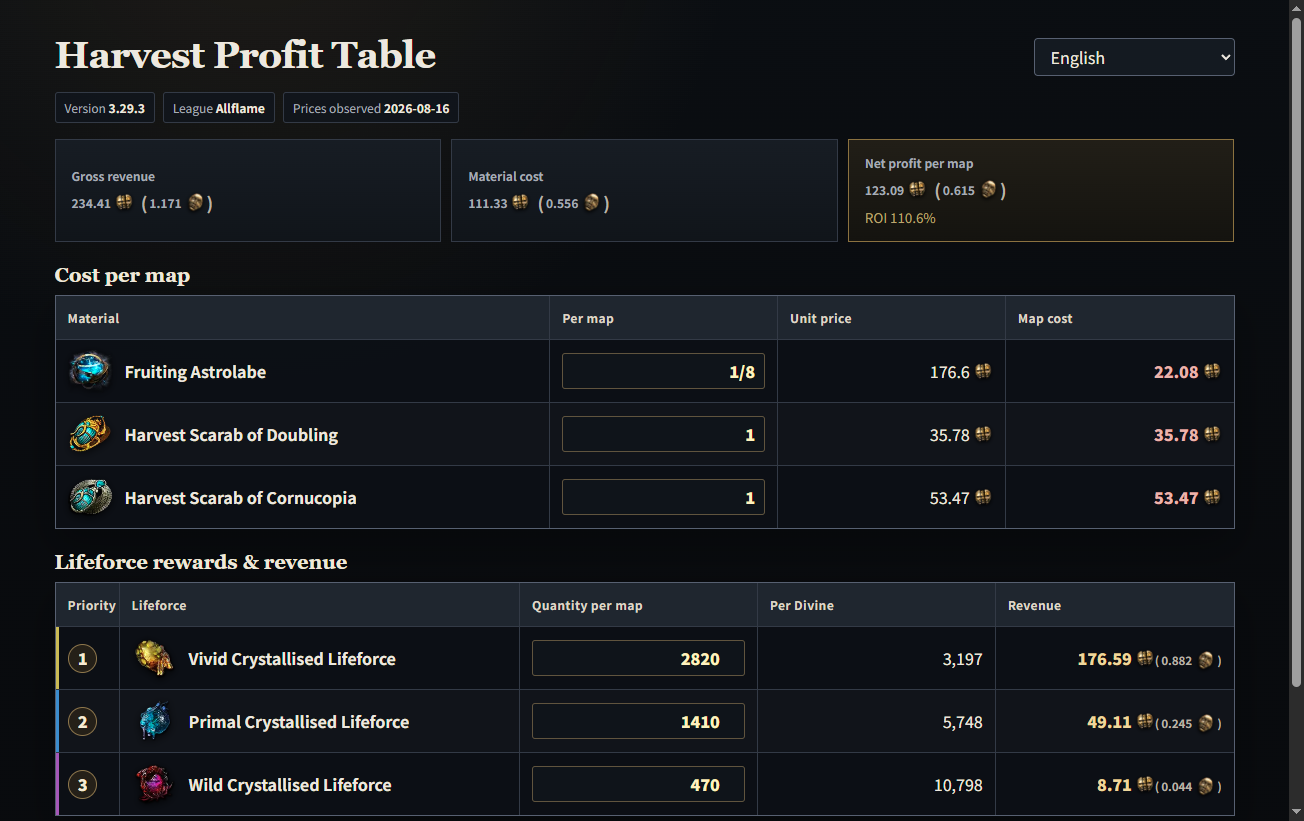
Purpose: Check Harvest reward groups and their observation basis in one table.
Information Search input: labyrinth location, first labyrinth
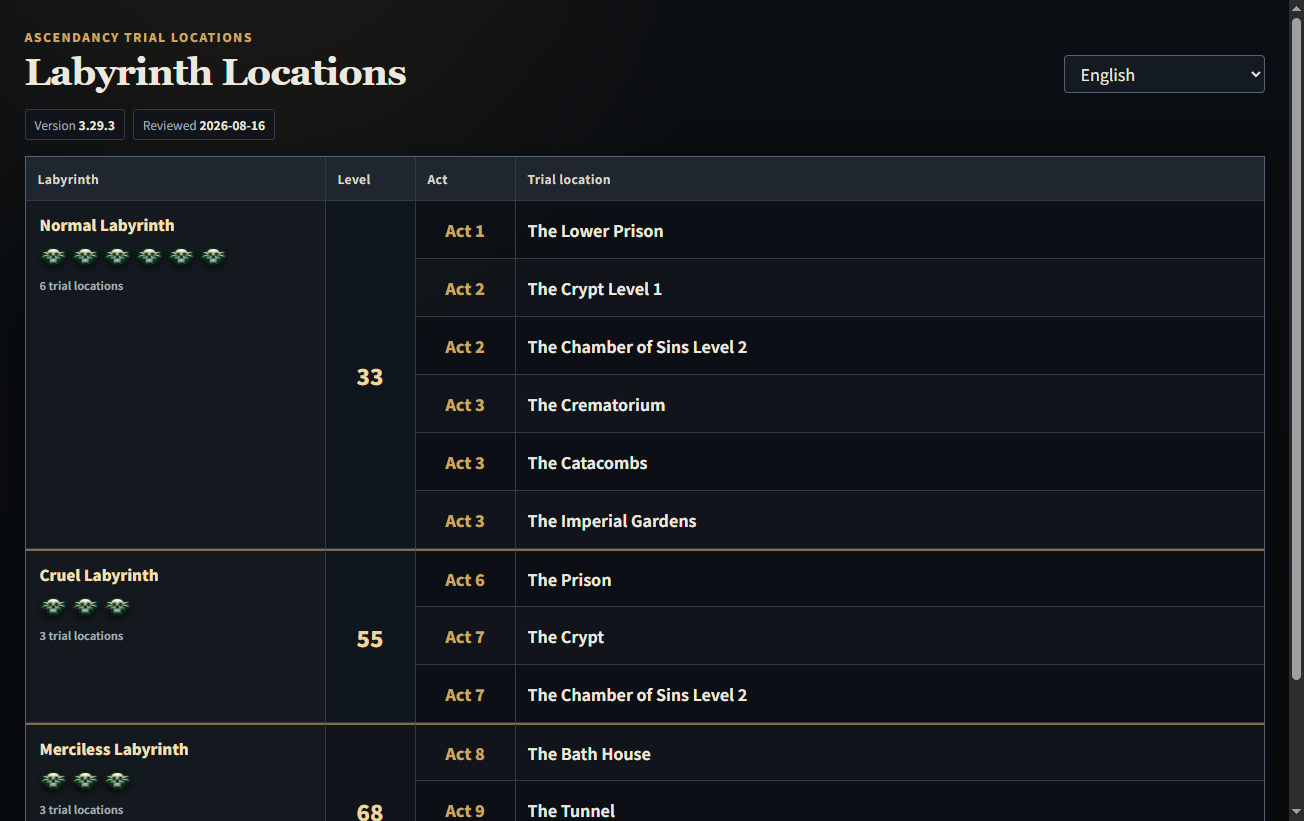
Purpose: Find the campaign Trial of Ascendancy locations by difficulty.
Information Search input: boss rewards
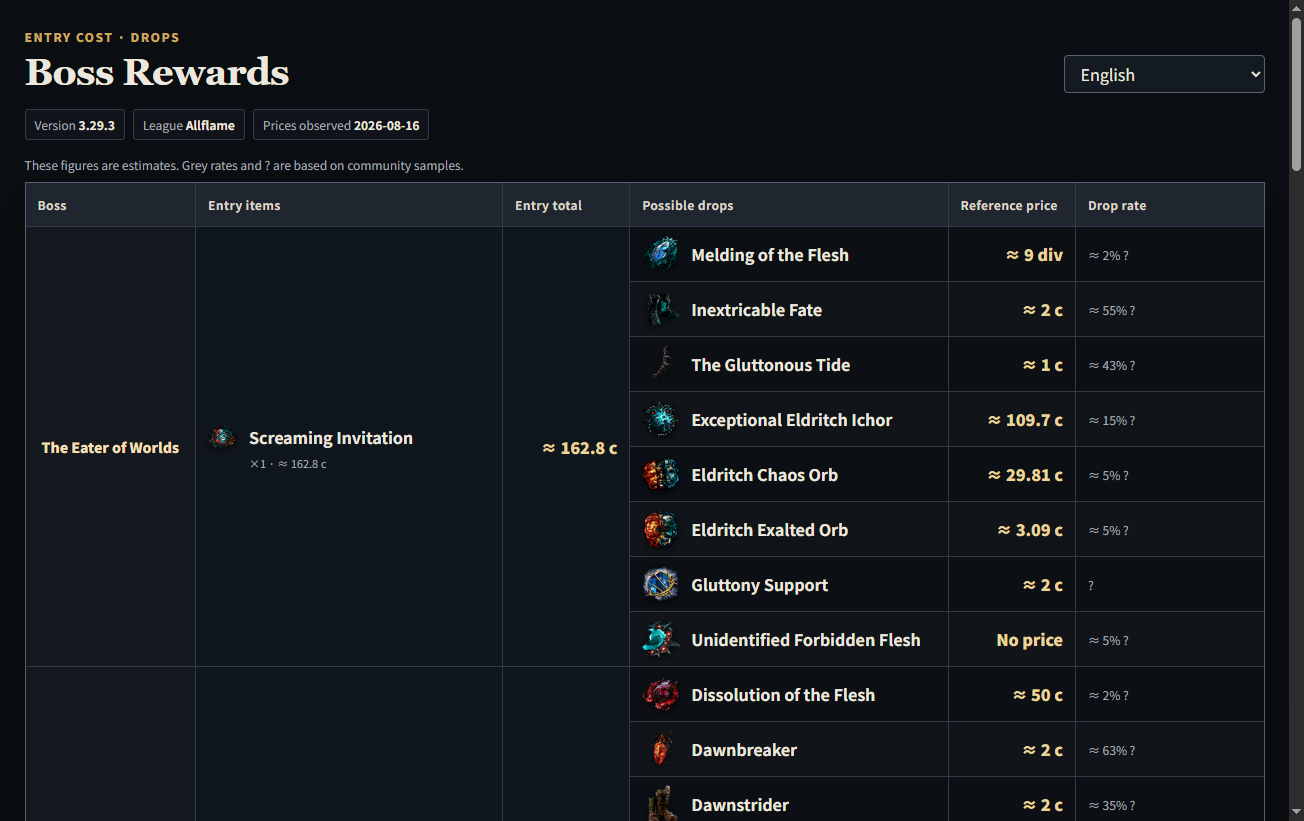
Purpose: Review entry materials and reward rows for major bosses.
Information Search input: heist rewards
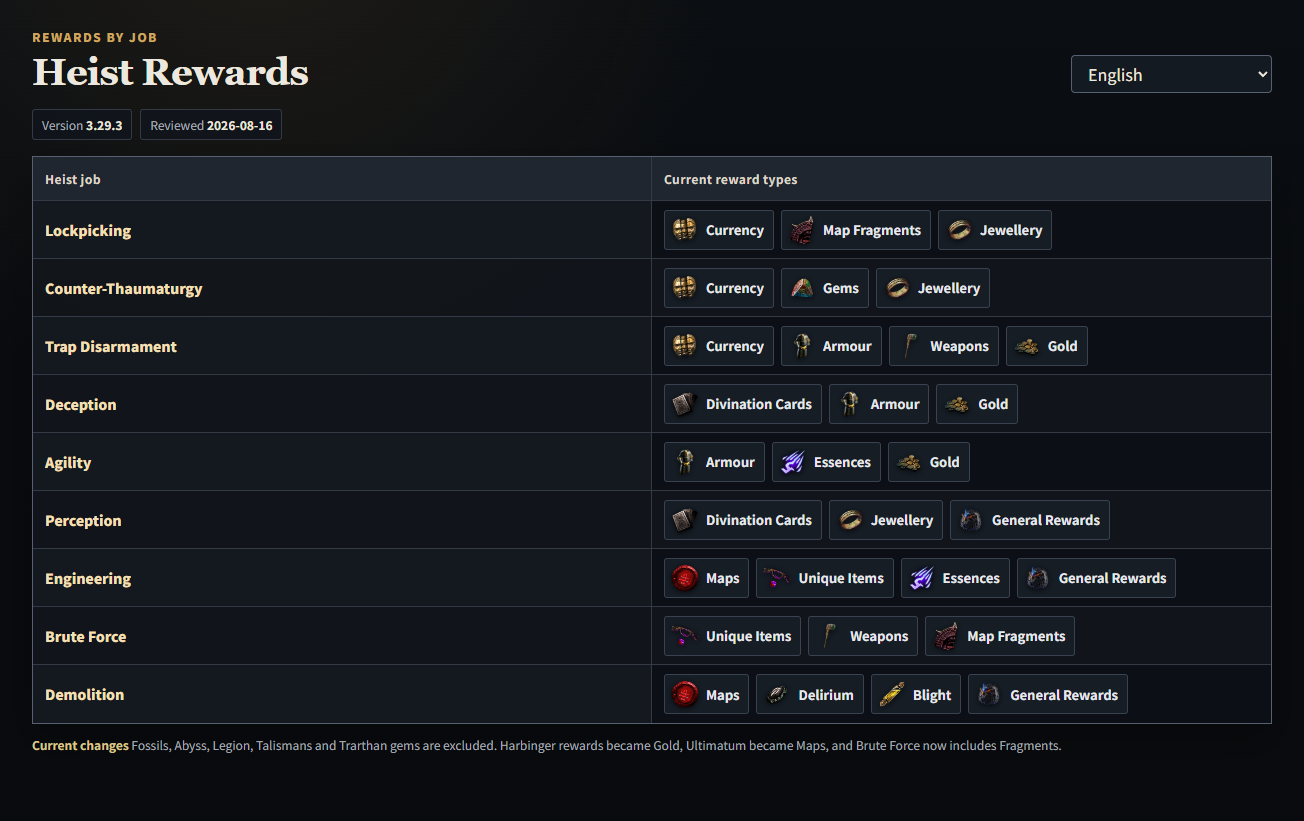
Purpose: See which reward category is associated with each Heist job.
Information Search input: vendor recipes
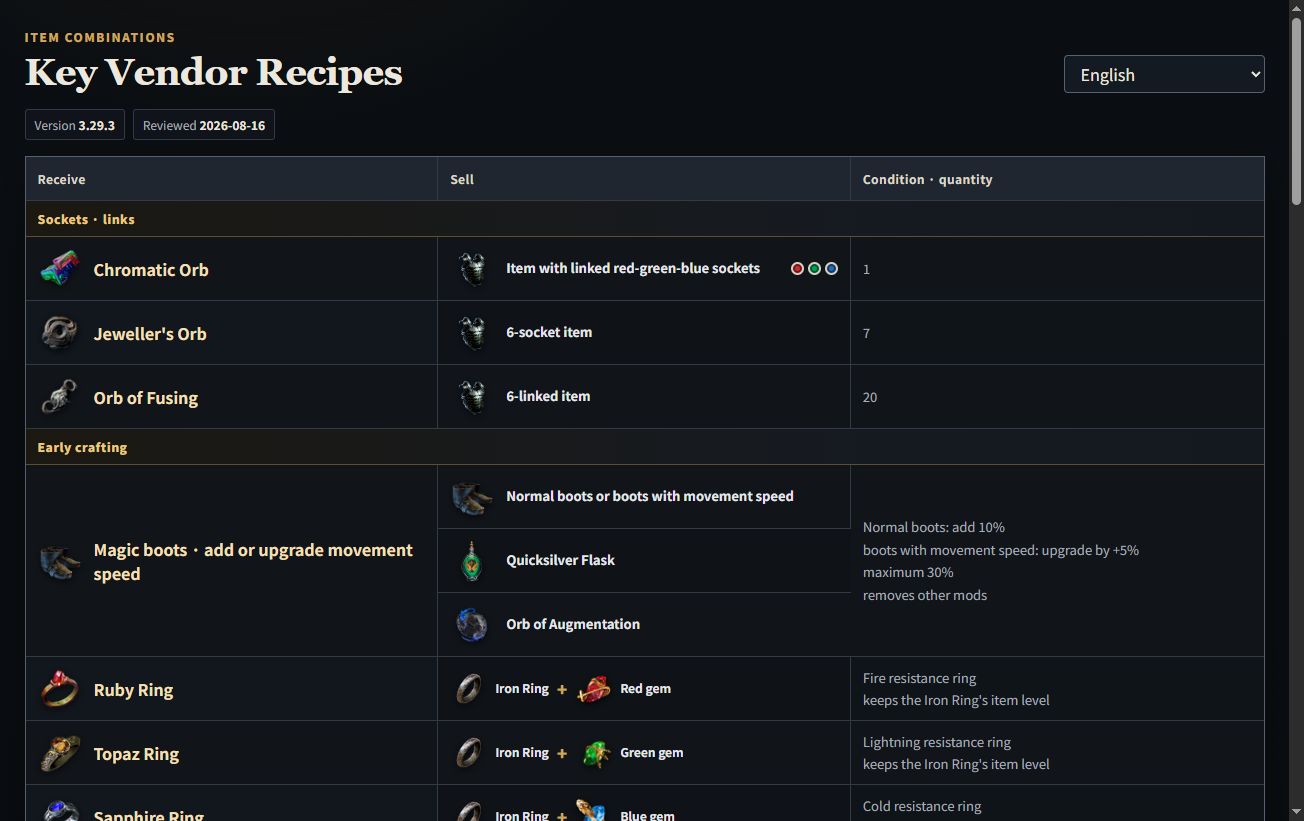
Purpose: Look up commonly used early gear, socket/link, and quality-recovery recipes.
Information Search input: currency exchange
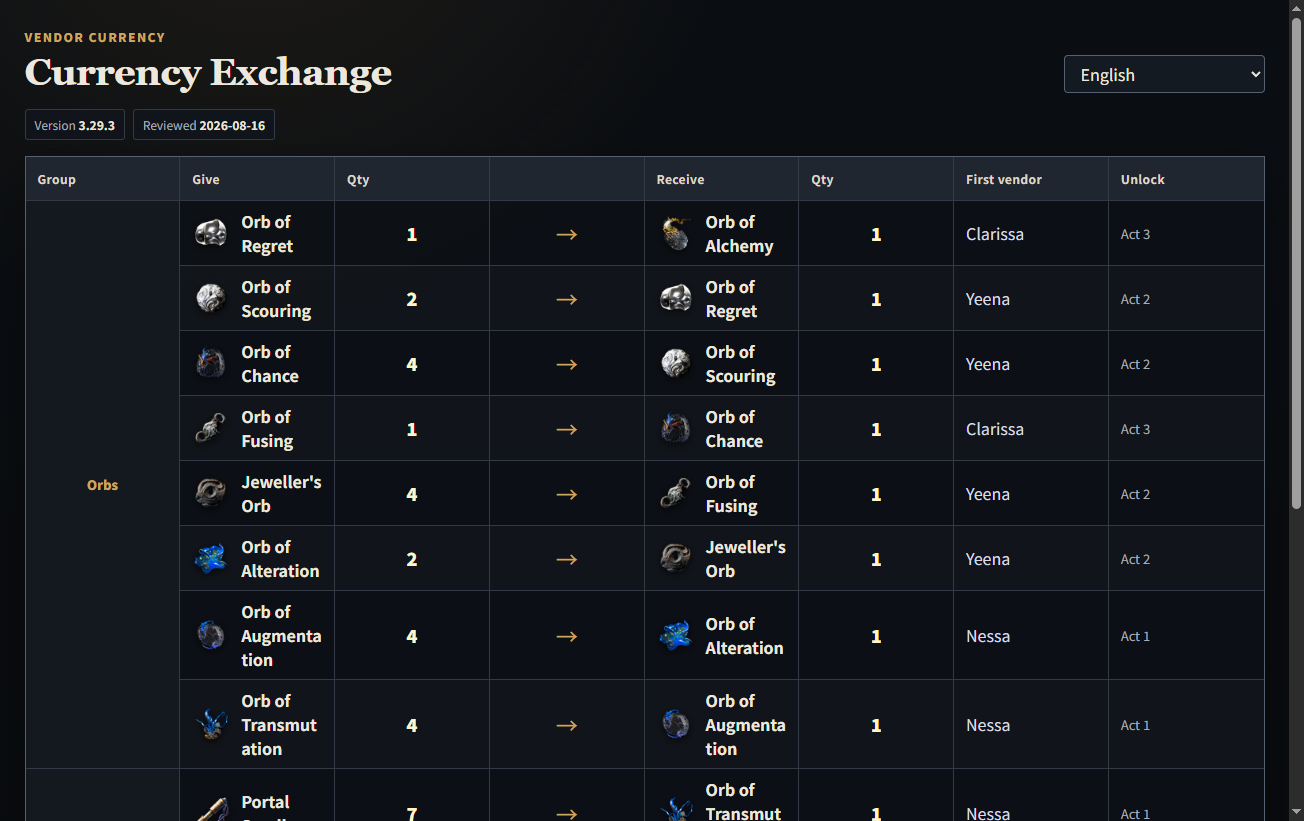
Purpose: Check the NPC, unlock point, and currencies exchanged.
Information Search input: kingsmarch, rewards, port
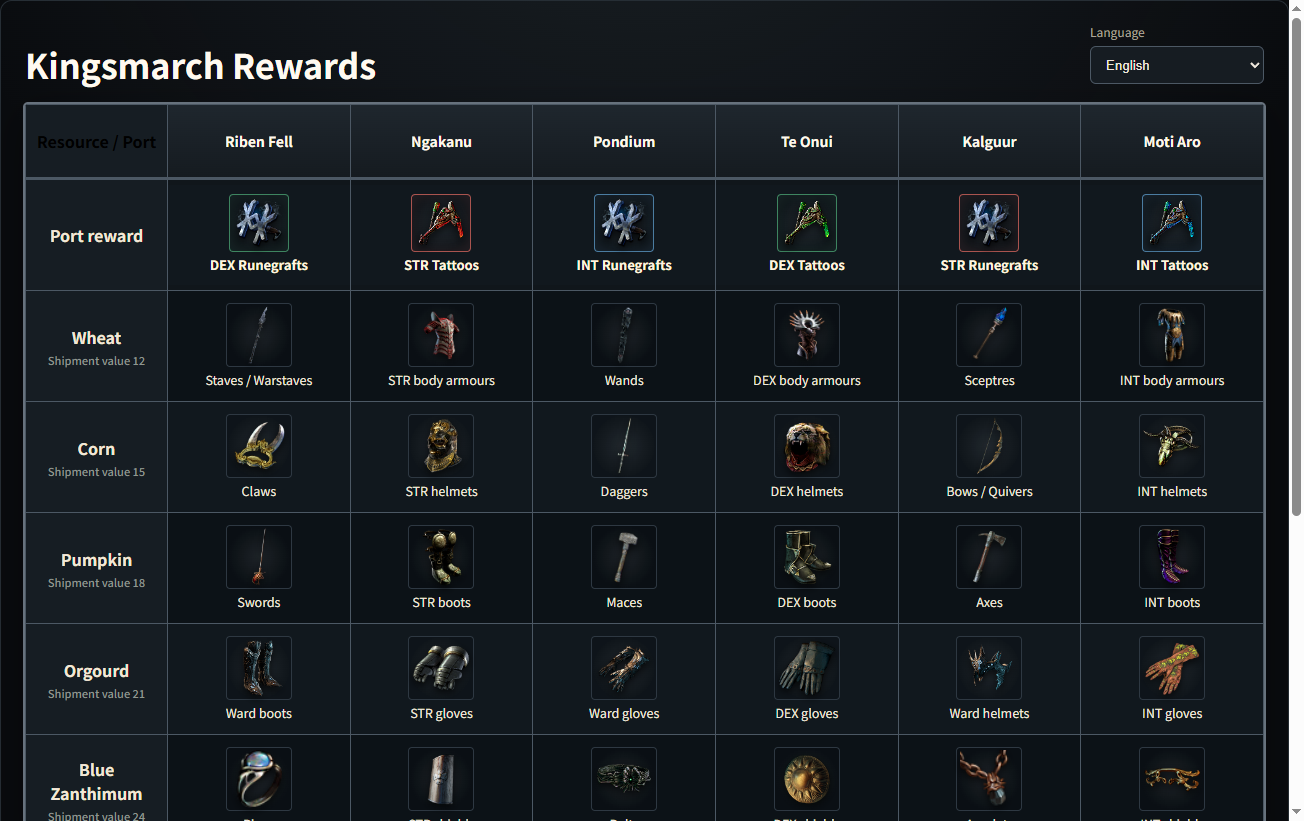
Purpose: Open the port, crop, and mineral shipment reward board inside BOTTARI.
Information Search input: poe2 special area
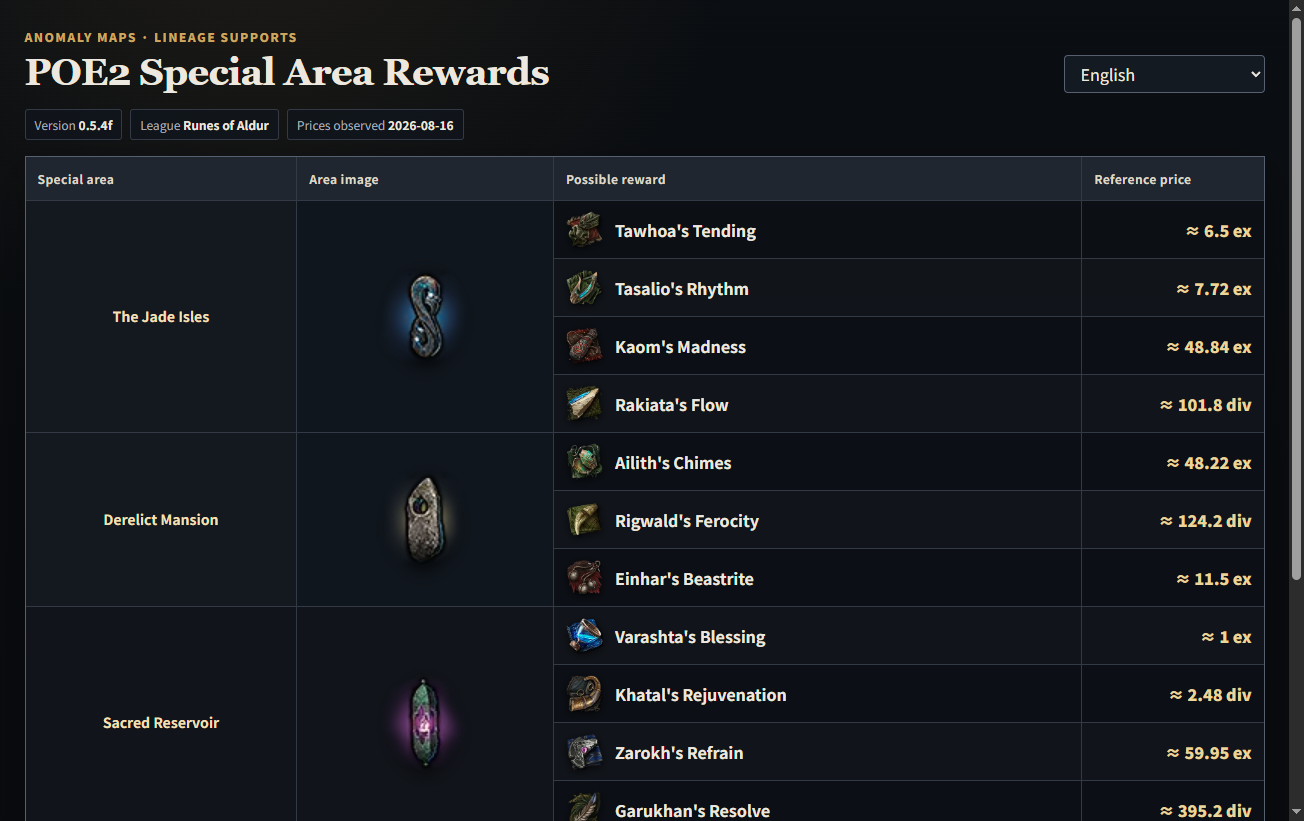
Purpose: Review the reward pools and observation basis for special areas.
Information Search input: poe2 crafting, reforging bench, salvage bench
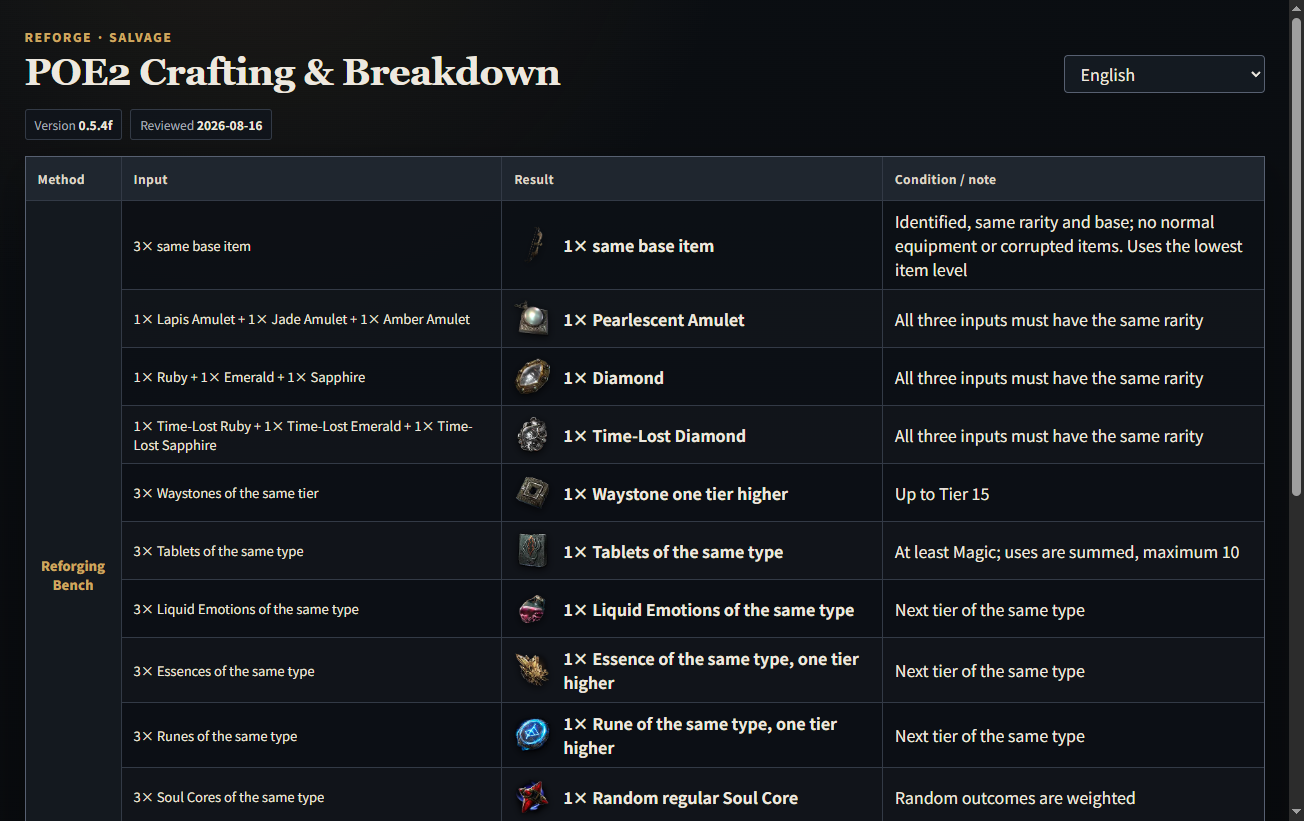
Purpose: Check the usable Reforging Bench and Salvage Bench combinations.
Information Search input: poe2 boss rewards
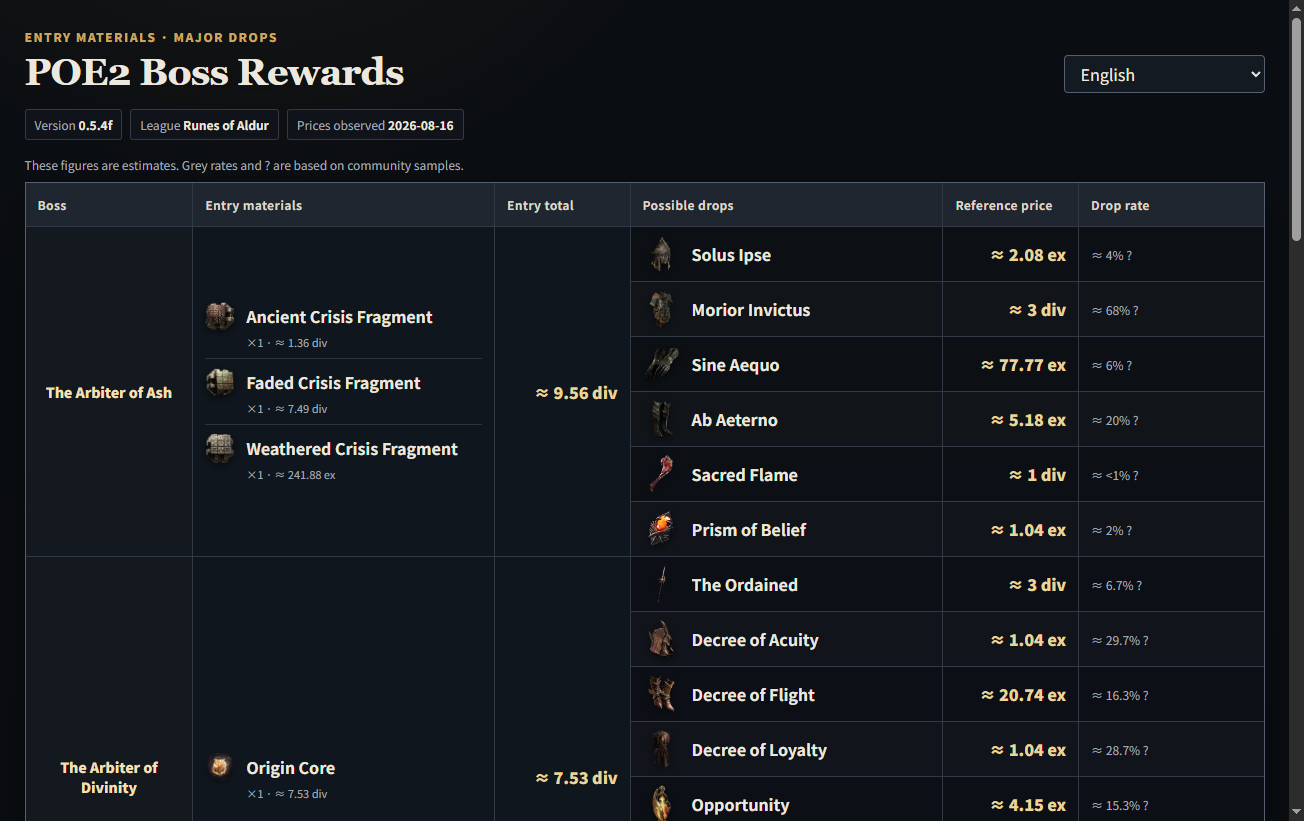
Purpose: Review boss entry materials, reward rows, and observed reference values.
Information Search input: poe2 ascension trials
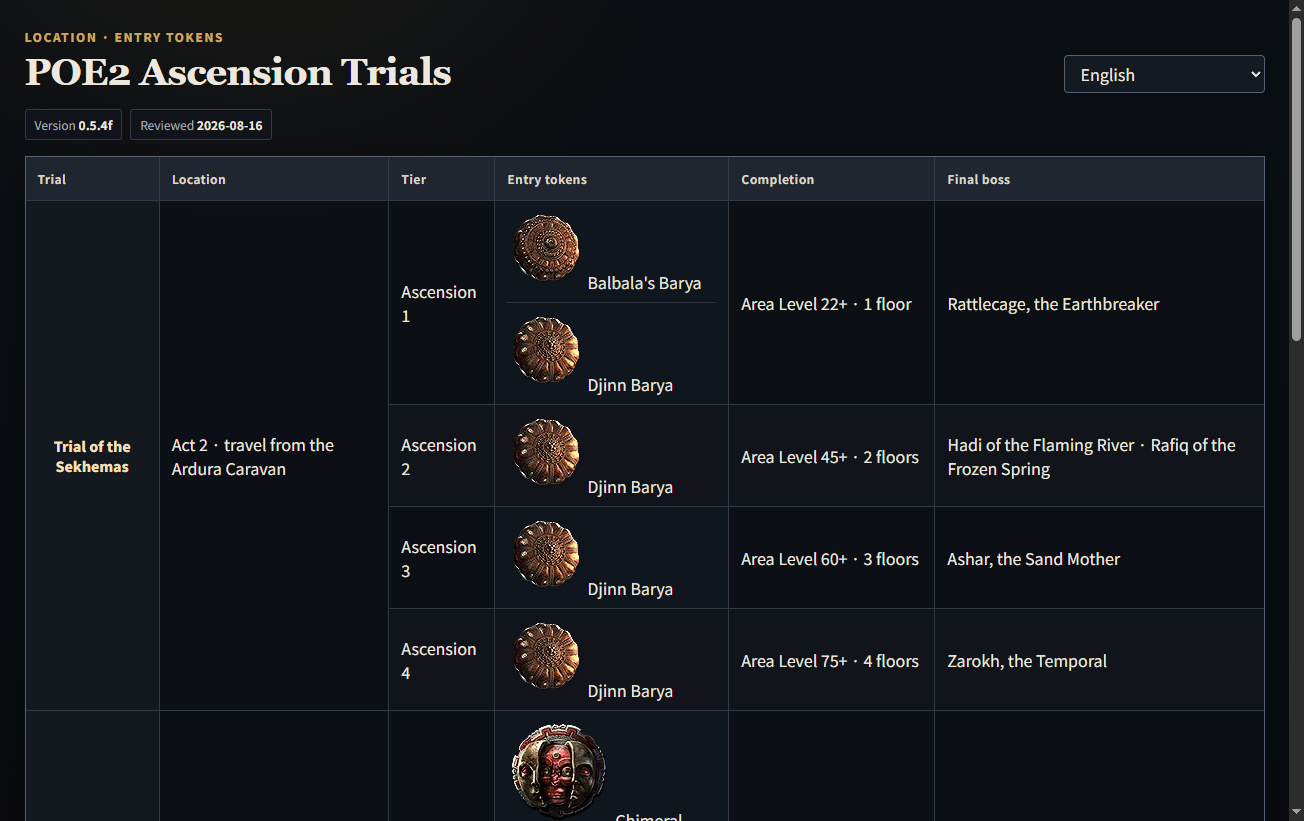
Purpose: Find the location, entry token, and completion requirement for each current trial.
Information Search input: regex, poe2 regex
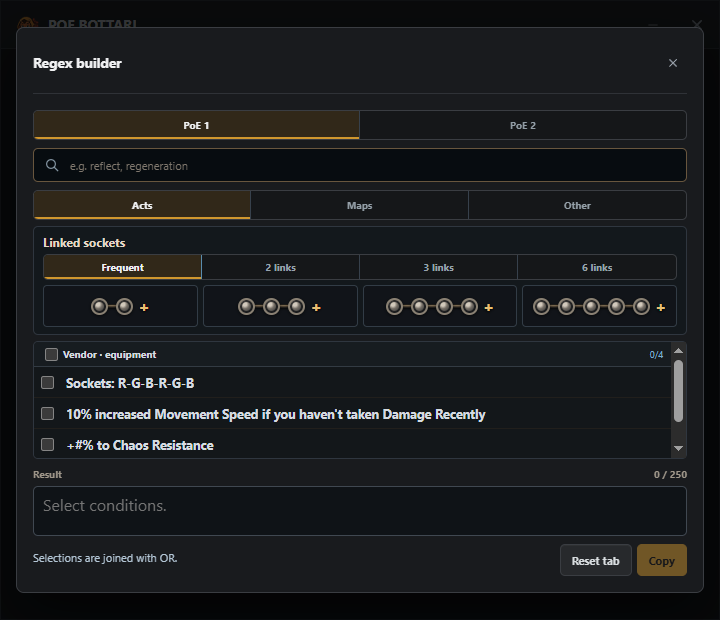
regex opens BOTTARI's built-in generator.Purpose: Choose options and copy a regex for the in-game search field.
Information Search input: poe1 concurrency
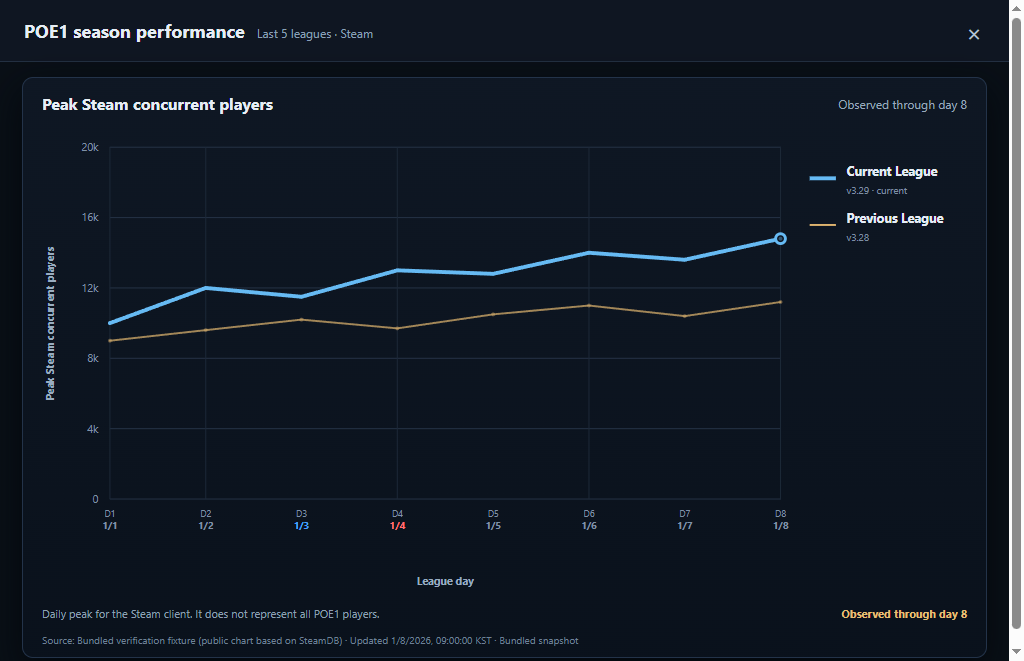
Purpose: Compare daily Steam peak concurrency for recent seasons.
Information Search input: poe2 concurrency
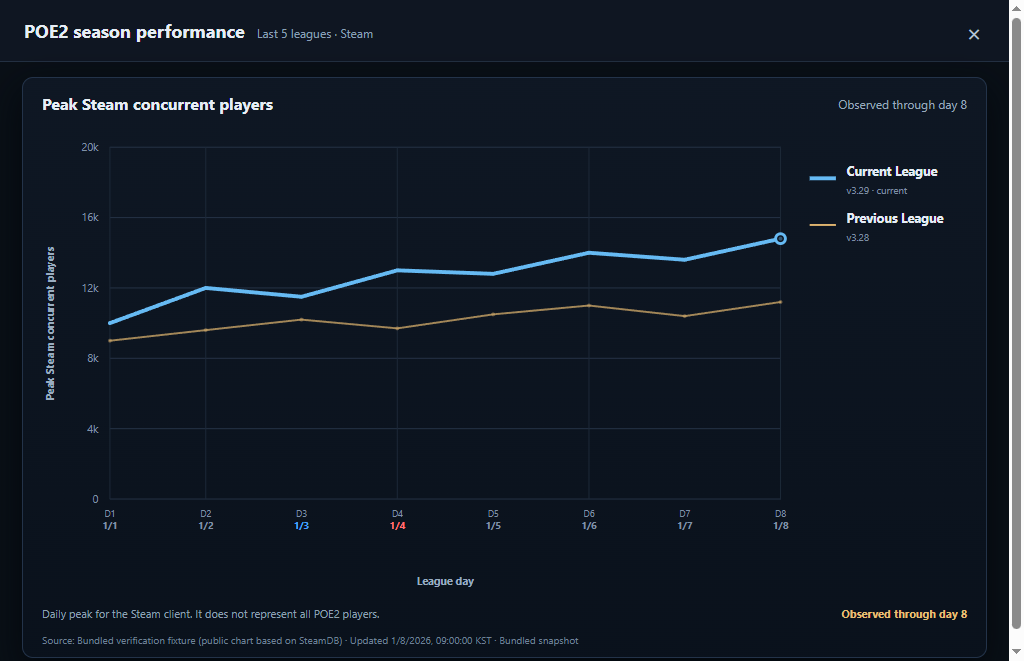
Purpose: Open the POE2 season chart separately.
BOTTARI does not copy external page content into this guide. Choose the named result and the original destination opens in your default browser.
PoEDB modifiersPOE1 modifier databasePoEDB itemsPOE1 item databasePoEDB gemsPOE1 gem databasePoE2DB modifiersPOE2 modifier databasePoE2DB itemsPOE2 item databasePoE2DB gemsPOE2 gem databasepoe1 body armoursPoEDB body armourspoe2 body armoursPoE2DB body armourspoe1 glovesPoEDB glovespoe2 glovesPoE2DB glovespoe2 bowsPoE2DB bowspoe2 quarterstavesPoE2DB quarterstavespoe2 act guidePOE2WAY Act Guidepoe2 waystone regexPOE2WAY Waystone regexpoe2 item regexPOE2WAY item regexpoe2 ninja buildsPOE Ninja POE2 buildspoe.repoe.re POE1 regex generatorpoe2.repoe2.re POE2 regex generatorpobb.inbuild sharingpoe plannerPoE Planner passive treepoe1 official homePOE1 official homepoe2 official homePOE2 official homepoe1 official tradePOE1 official tradepoe2 official tradePOE2 official tradepoe wikiPOE1 community wikipoe official cafePOE official cafepoe2 wikiPOE2 Wikicraft of exile poe1Craft of Exile POE1craft of exile poe2Craft of Exile POE2filterblade poe1FilterBlade POE1filterblade poe2FilterBlade POE2poe ninja poe1 buildsPOE Ninja POE1 buildspoe ninja poe1 economyPOE Ninja POE1 economypoe ninja poe2 economyPOE Ninja POE2 economypoelabPoELab daily LabyrinthvoriciVorici socket-colour calculatorwealthy exileWealthy Exile wealth trackermaxroll poe1POE1 guidemaxroll poe1 build guidesPOE1 build guidesmaxroll poe1 league starterPOE1 league startersmaxroll poe1 levelingPOE1 leveling buildsmaxroll poe1 campaignPOE1 campaign guidemaxroll poe2POE2 guidemaxroll poe2 build guidesPOE2 build guidesmaxroll poe2 getting startedPOE2 getting startedmaxroll poe2 campaignPOE2 campaign guidemaxroll poe2 league start levelingPOE2 league-start leveling guidepoe1 redditPOE1 Reddit communitypoe2 redditPOE2 Reddit communityTerms such as attribute gloves, fire gem, or poe2 bow can return prepared PoEDB or PoE2DB detail results. Unlike the fixed shortcuts, the number and wording of these results depend on the search phrase.
The extension supports selected POE websites with on-device translation and saves reviewed trade-filter recipes without starting or controlling the desktop app.

This independently operated web tool is linked as an external reference.